E-Signature Software That Combines PDF Editing and Document Workflow for Contract Management
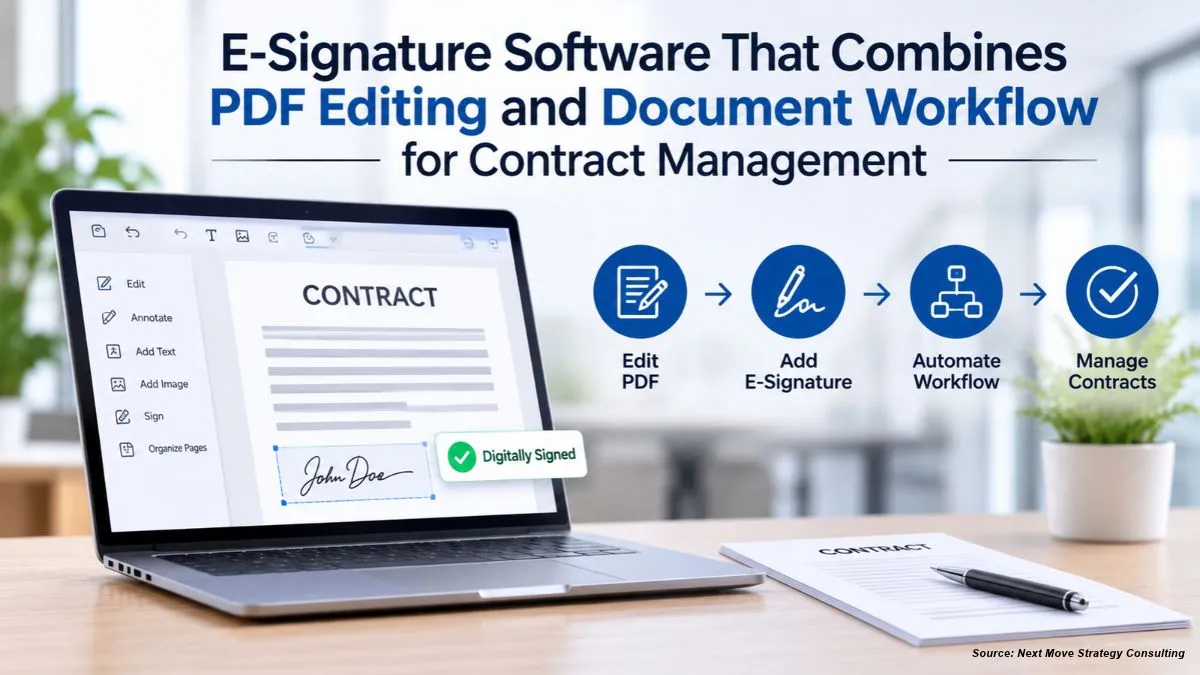
A contract often passes through several hands before it is signed. Someone drafts it, someone edits the wording, a reviewer adds comments, and then the final version goes out for signature. Each handoff can create a new file, and each new file can cause confusion about which version is current. A platform that combines esignature PDF signing with PDF editing and document workflow can keep the contract in one place from first draft to signed copy.
This guide compares platforms that combine these steps. It separates three things that are often confused: PDF editing, document creation and workflow, and full contract lifecycle management. Most tools in this category cover the first two well. Full contract lifecycle management, which includes obligations, renewals, and reporting across a contract portfolio, is a different scope. Confirm current features on each provider's site before you commit.
Three Different Scopes
Before you compare platforms, separate the scope you need:
-
PDF editing. Changing text, adding fields, merging, splitting, and marking up a PDF.
-
Document creation and workflow. Building contracts from templates, routing them for review, sending for signature, and tracking status.
-
Full contract lifecycle management. Storing a contract repository, tracking obligations and renewal dates, and reporting across many agreements.
A platform that combines the first two can run most day-to-day contract work. Full lifecycle management often needs a dedicated system, and some teams pair a signing platform with one.
What End-to-End Contract Work Requires
A platform that covers the core workflow should provide:
-
Editing the draft. Change the wording in the document itself, or convert a PDF into an editable agreement.
-
Review and comments. Let reviewers mark up the same file.
-
Templates. Reuse approved language for common agreements.
-
Multi-party signing. Send to several signers in one request.
-
Tracking and reminders. See who has signed and follow up on pending signatures.
-
A signed record. Keep the completed file with an audit trail.
-
Storage and integration. Keep contracts where the team works.
The Platforms Compared
1. Lumin – PDF Editing, Templates, Signing, and Tracking in One Platform
Lumin combines a PDF editor, a library of templates, Lumin Sign, and an agreement creation tool. Staff can edit a PDF, add text and fields, comment, highlight, and draw. Templates cover common forms and agreements, and the template page for a rental lease, for example, can be edited, filled in, and signed online.
Lumin Sign sends the document to each signer by email, tracks each signature, and sends reminders. Signers do not need an account. Signed documents include an audit trail and a certificate of completion.
Lumin's agreement creation tool can generate and customize agreements from a prompt, and it can convert an existing PDF into an editable agreement before signature. The tool is a drafting assistant, not legal advice. Lumin also opens and saves files in Google Drive and connects to Salesforce and HubSpot, which helps a team keep contract work inside its existing systems.
Lumin's scope is document creation, review, signing, and tracking. It is not a full repository for obligations, renewal reporting, or contract analytics across a large portfolio.
Best for: Teams that want PDF editing, templates, signing, and tracking in one platform, and that do not need a full obligation and renewal system.
2. PandaDoc – Documents, Proposals, and Signing
PandaDoc combines document creation, proposal building, approval workflows, and e-signature. Teams can build contracts from templates, collect feedback, and send for signature in one flow. Its document tracking is strong for sales-led contracts.
PandaDoc's PDF editing is more limited than a dedicated editor, and its paid plans are priced per seat.
Best for: Sales and operations teams that build proposals and contracts from templates.
Limitation: Per-seat pricing, and more limited PDF editing than a dedicated PDF editor.
3. Adobe Acrobat Sign – PDF Editing Heritage and Signing
Adobe Acrobat Sign pairs well with Acrobat's PDF editing. Teams that already work in Acrobat can edit a document and route it for signature without leaving the tool family. Acrobat Sign also offers audit records and multi-party workflows.
Acrobat Sign's pricing is per user, and enterprise contract lifecycle features may be a separate product. Confirm what is included in the plan you need.
Best for: Organizations already using Acrobat for document editing and signature.
Limitation: Per-user pricing, and lifecycle features may require additional products.
4. DocuSign – Signing at Scale With Contract Lifecycle Options
DocuSign is a recognized e-signature platform, and it offers contract lifecycle management products alongside its signing service. It suits organizations that need signing at scale and a broad integration catalog.
DocuSign's editing and lifecycle features may be sold separately. Pricing is per user, and enterprise terms are usually quoted through sales.
Best for: Larger organizations that need signing at scale and a full contract lifecycle product.
Limitation: Higher cost, more setup, and lifecycle features that may be priced separately.
5. Dropbox Sign – Simple Signing for Teams
Dropbox Sign offers straightforward e-signature with reminders and audit records. It works well when the main need is signing rather than drafting or lifecycle tracking.
Its PDF editing and workflow features are lighter than those of a combined platform, so it may need a separate editor.
Best for: Teams that mainly need signing and already store documents in Dropbox.
Limitation: Lighter editing and workflow features.
Comparison: Scope of Each Platform
|
Platform |
PDF Editing |
Templates and Drafting |
Multi-Party Signing |
Tracking and Audit |
Full Lifecycle Features |
Pricing Basis |
|
Lumin |
Yes |
Yes, templates and agreement tool |
Yes |
Yes |
Not described as full lifecycle |
Free plan; paid per team |
|
PandaDoc |
Limited |
Yes, strong |
Yes |
Yes |
Partial |
Per seat |
|
Adobe Acrobat Sign |
Yes, with Acrobat |
Yes |
Yes |
Yes |
Separate product |
Per user |
|
DocuSign |
Limited |
Yes |
Yes |
Yes |
Separate product |
Per user; enterprise by quote |
|
Dropbox Sign |
Limited |
Limited |
Yes |
Yes |
No |
Per user |
Confirm current features and plan details on each provider's site before you choose.
How to Choose
-
If you want PDF editing, templates, signing, and tracking in one platform, Lumin fits that scope in this comparison. Confirm the plan and the agreement tool's current status.
-
If your contracts are built from proposal templates, PandaDoc keeps drafting and signing together.
-
If your organization already uses Acrobat, Adobe Acrobat Sign keeps editing and signing in one family of tools.
-
If you need a full contract lifecycle system, a dedicated lifecycle product may be needed, alongside a signing platform.
A Practical End-to-End Workflow
-
Start from an approved template. Keep one current version of each common agreement.
-
Edit the draft in the same tool. Make changes in the document itself.
-
Route the draft for review. Collect comments on the same file.
-
Resolve comments and finalize. Confirm the version before signing starts.
-
Send for signature. Invite each party and set a due date.
-
Track and remind. Follow up on any pending signatures.
-
File the signed contract. Store the completed file and its audit record in one location.
Common Mistakes
-
Mixing up scopes. A signing tool is not automatically a full lifecycle system.
-
Keeping several copies of a draft. Use one master file.
-
Signing before comments are resolved. Finalize the wording first.
-
Using an outdated template. Review templates on a regular schedule.
-
Losing the signed record. Save the completed file with its audit record.
FAQ
Which e-signature software combines PDF editing and workflow?
Platforms that combine these functions include Lumin, PandaDoc, and Adobe Acrobat Sign, each with a different balance of editing, drafting, and signing. Confirm which one covers the steps your contracts need.
Can I edit a contract before sending it for signature?
Yes. Lumin's PDF editor lets you edit text, add fields, and comment on a draft before you send it for signature.
Are electronic signatures valid for contracts?
Electronic signatures are generally recognized under the federal ESIGN Act and most states' UETA. Whether a particular contract is enforceable depends on its terms and applicable law, so confirm important contracts with an attorney.
Is Lumin's agreement creation tool ready for everyday use?
Lumin describes its agreement creation tool as in beta and as a drafting assistant, not legal advice. Confirm its current status before relying on it for important agreements.
Conclusion
Combining PDF editing and document workflow in one platform can keep a contract in a single place from first draft to signed copy. Lumin covers editing, templates, signing, tracking, and integrations with Google Drive, Salesforce, and HubSpot, while leaving full lifecycle reporting outside its described scope. PandaDoc suits proposal-led teams, Adobe Acrobat Sign suits Acrobat users, and DocuSign and dedicated lifecycle products suit larger portfolios. Match the platform to the steps your contracts actually go through, and confirm current features before you commit.
About the Author
 Sanyukta Deb
— Sanyukta Deb is Digital Marketing Team Lead at Next Move Strategy Consulting, where she has led content strategy and technical SEO for the firm's B2B market research publications for over 2 years. Her editorial process translates NextMSC's primary and secondary research — spanning technology, industrial, and consumer sectors — into commercial narratives, backed by search-intent, keyword, and competitive analysis. She brings 5 years of overall experience in digital marketing and content strategy.
About the Reviewer
 Debashree Dey
— Debashree Dey is Assistant Manager at Next Move Strategy Consulting, where she supports cross-vertical market content and communications across diverse industries for 6 years. Her professional background includes senior content writing, communications, and published manuscript authorship, with experience developing audience-focused business narratives and maintaining clear, consistent messaging. Her role supports research-led content development and editorial quality across NextMSC publications.













Add Comment